
Vulcan AI Governance
Vulcan AI Governance gives your team one place to see which AI tools state employees use, decide what is allowed, and enforce that on state computers.
We are developing it as a free, open source resource for all governments, whether or not they use Justinian.
Why now
Shadow AI is a rapidly growing problem.
Shadow AI is the unapproved and ungoverned AI tools that employees use at work. Some are developed by foreign adversaries. They are used across agencies and often compromise sensitive data, including personally identifiable information.
Justinian is central to our users’ AI workflows, so we see the problem up close and are in a position to help.
What it does
One place to see, decide and enforce.
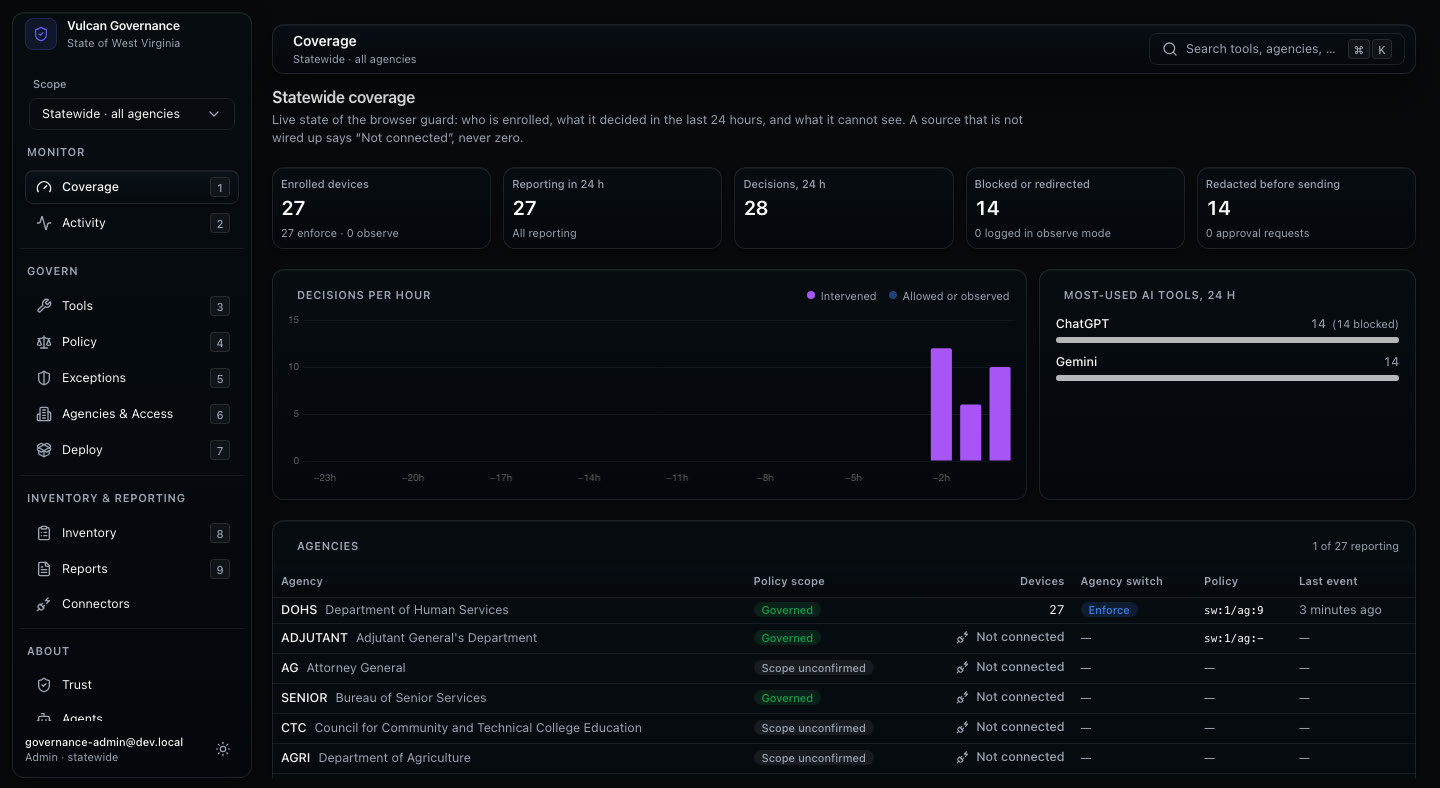
See the activity
Search what employees sent to AI tools and what came back, by person, tool and time.
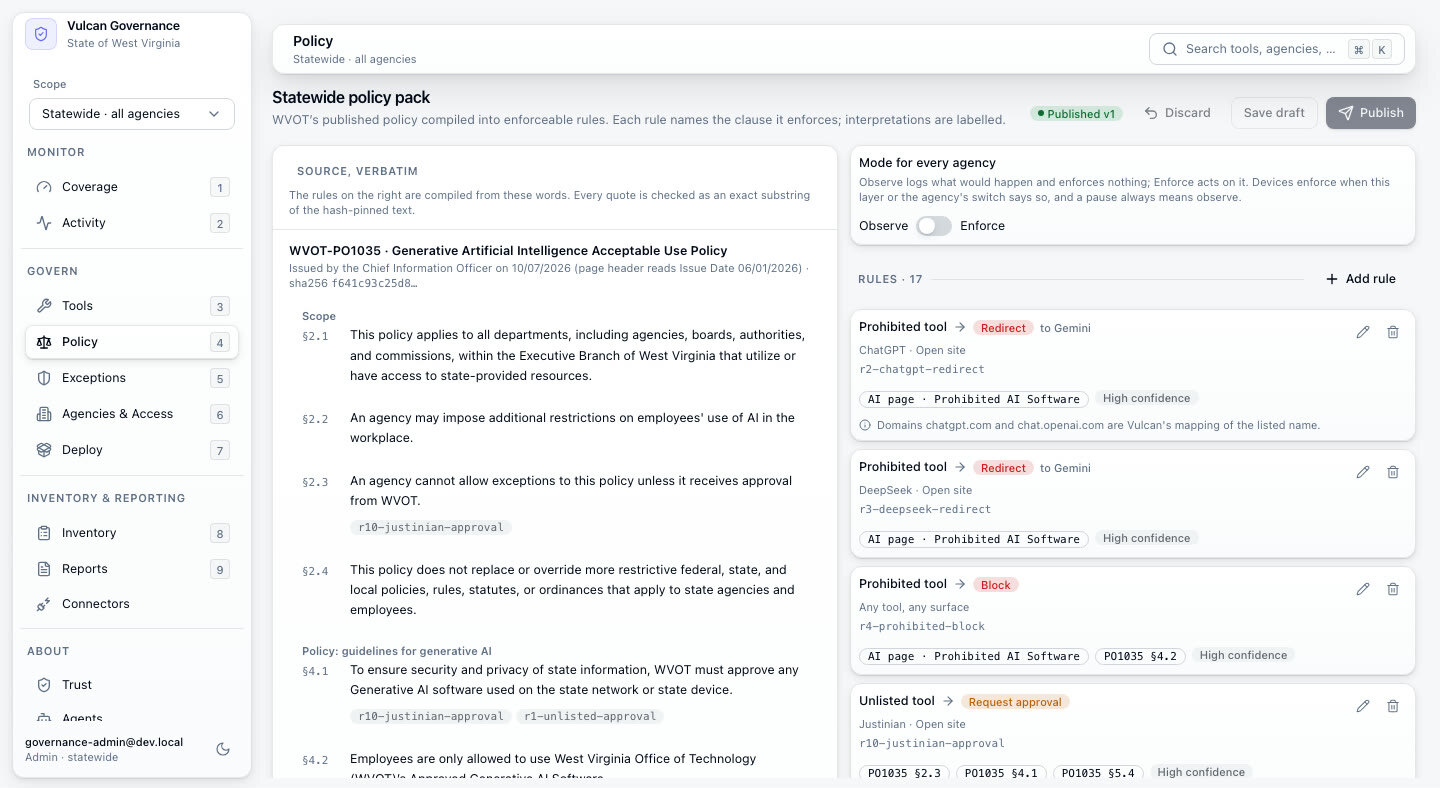
Set the rules
Mark each AI tool Allowed, Ask a supervisor, or Blocked.
Enforce on the computer
It runs through the Justinian browser extension and the Windows and Mac desktop apps, and IT can require it on agency computers.
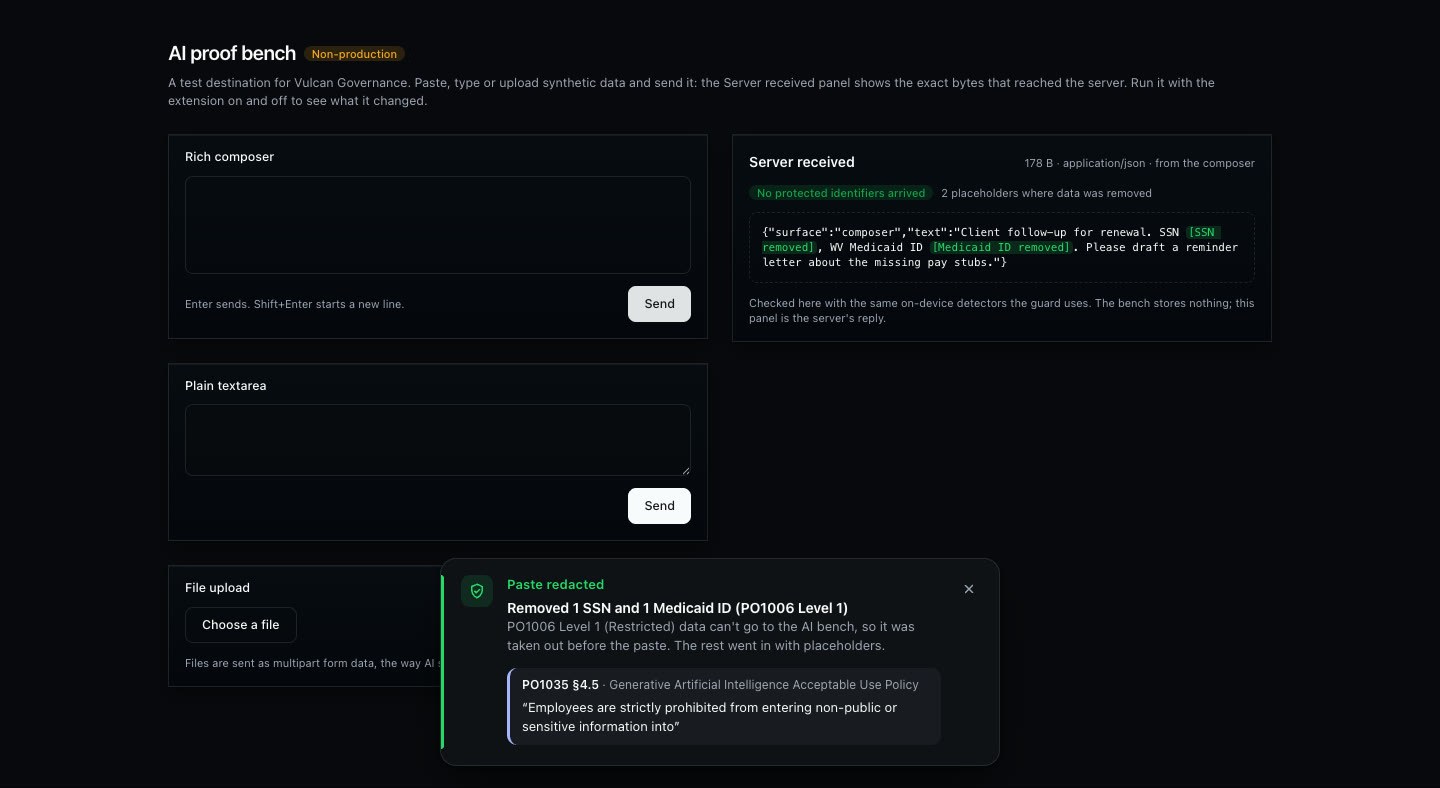
Keep personal data out of the record
Detected personal data, such as a Social Security number, is replaced with a placeholder on the employee’s device before the record leaves it.
A look inside
The console your team works in.
Preview build shown with synthetic demonstration data.
Free for governments, with unlimited users.
If you would like Vulcan AI Governance for your state or agency, tell us and we will follow up.
Register interest