
JUSTINIAN 3.2.0Justinian for Windows, and Justinian in your browser.
The Justinian desktop app is now available for Windows, with computer control and local file access. A new browser extension for Chrome and Microsoft Edge opens Justinian in a side panel on whatever website you're viewing.
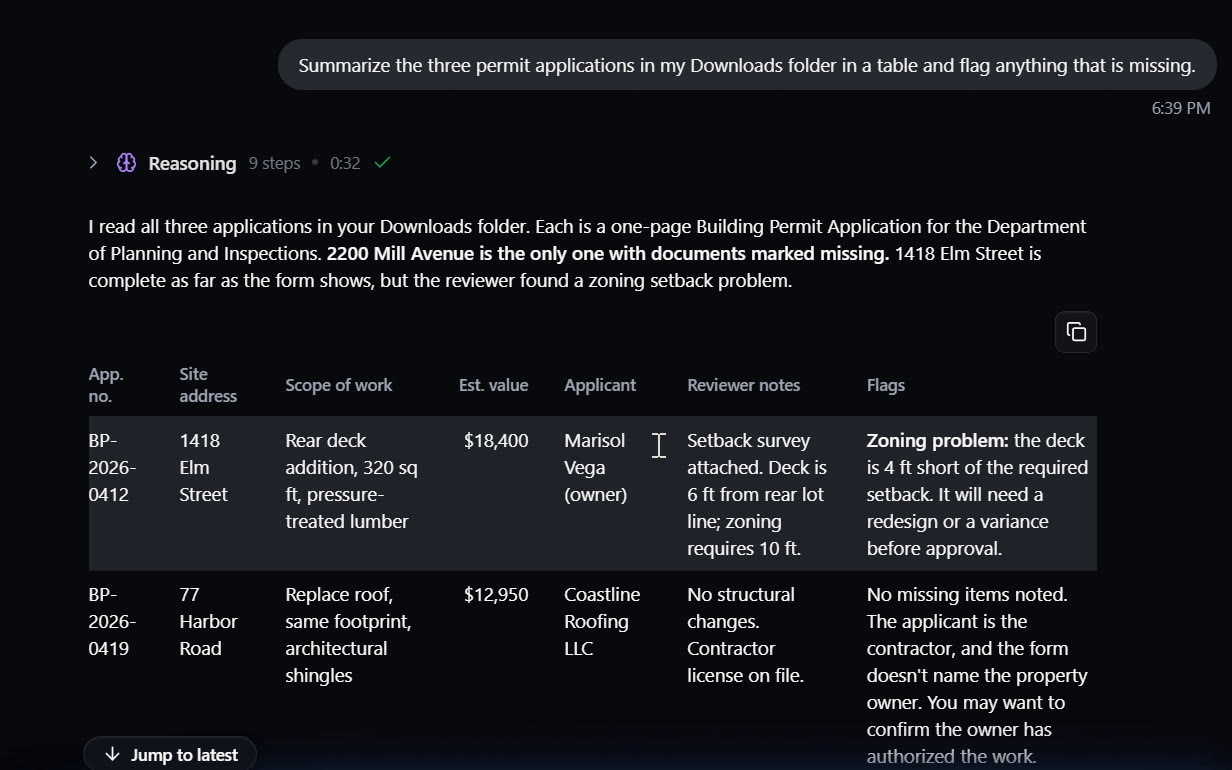
Work in the programs on your computer
In the desktop app, Justinian can use other programs on your computer. It reads what is in the program's window, then clicks and types in it, for example to add a summary to a memo you have open.
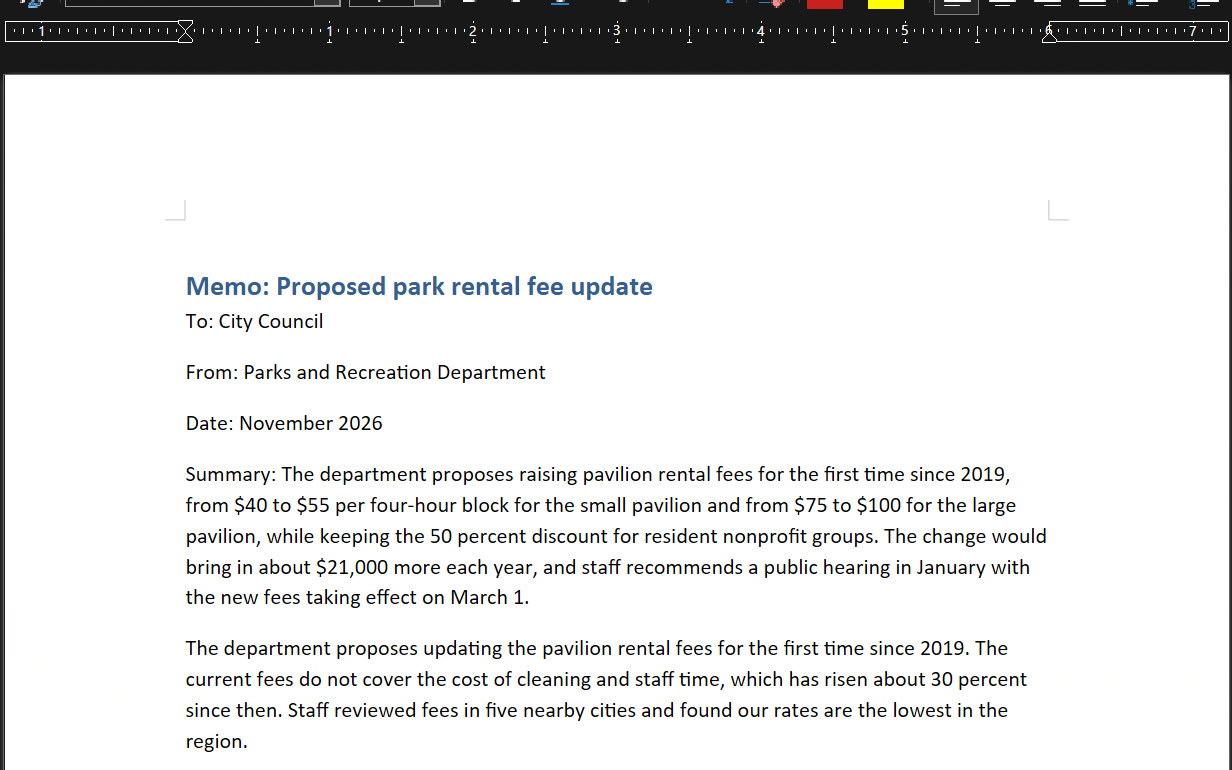
You approve each program
The first time Justinian needs a program, it asks you. Allow it once or always, and remove any always-allowed program in Settings.
Files on your computer
Turn on Device File Access in Settings to let Justinian read and save files in the folders you choose, without uploading them.
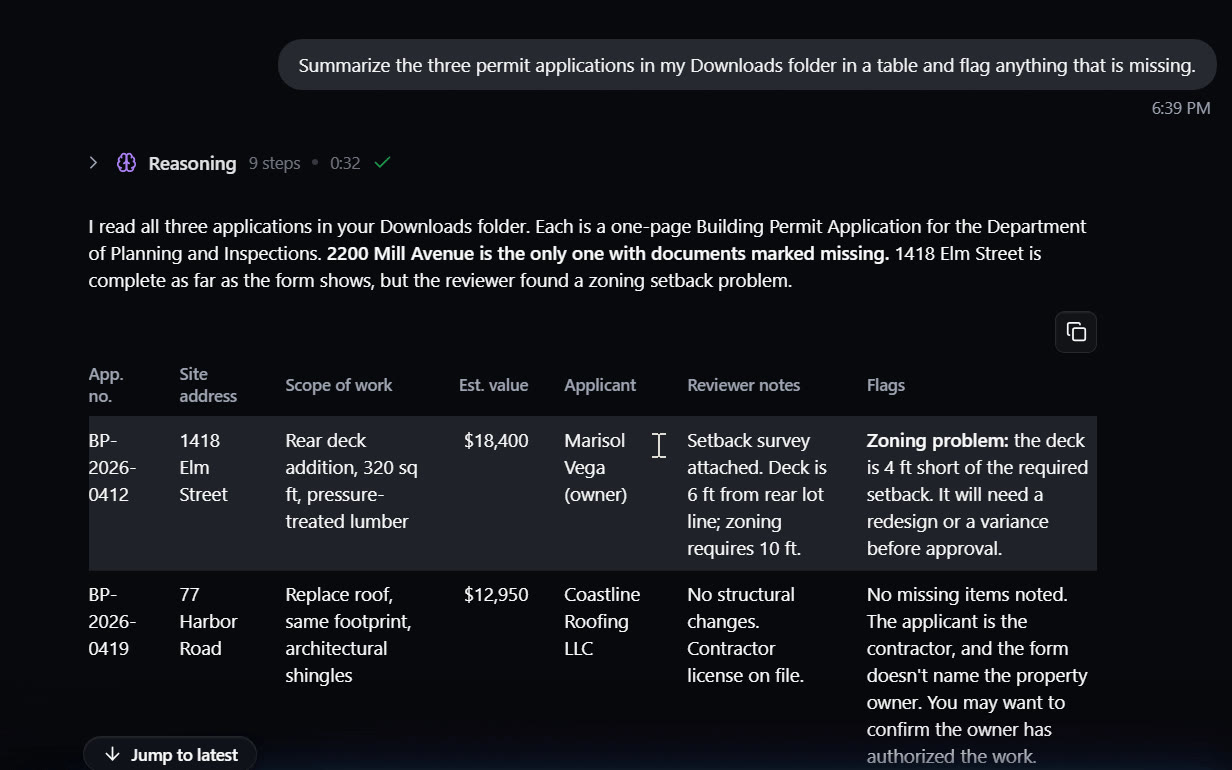
Only the folders you choose
Add folders under Files on This Computer in Settings. Justinian reads and saves files there without uploading them first.
Install the desktop app
Open Justinian in your browser on a Windows PC or Mac, click your account button in the bottom-left corner and choose Download desktop app.
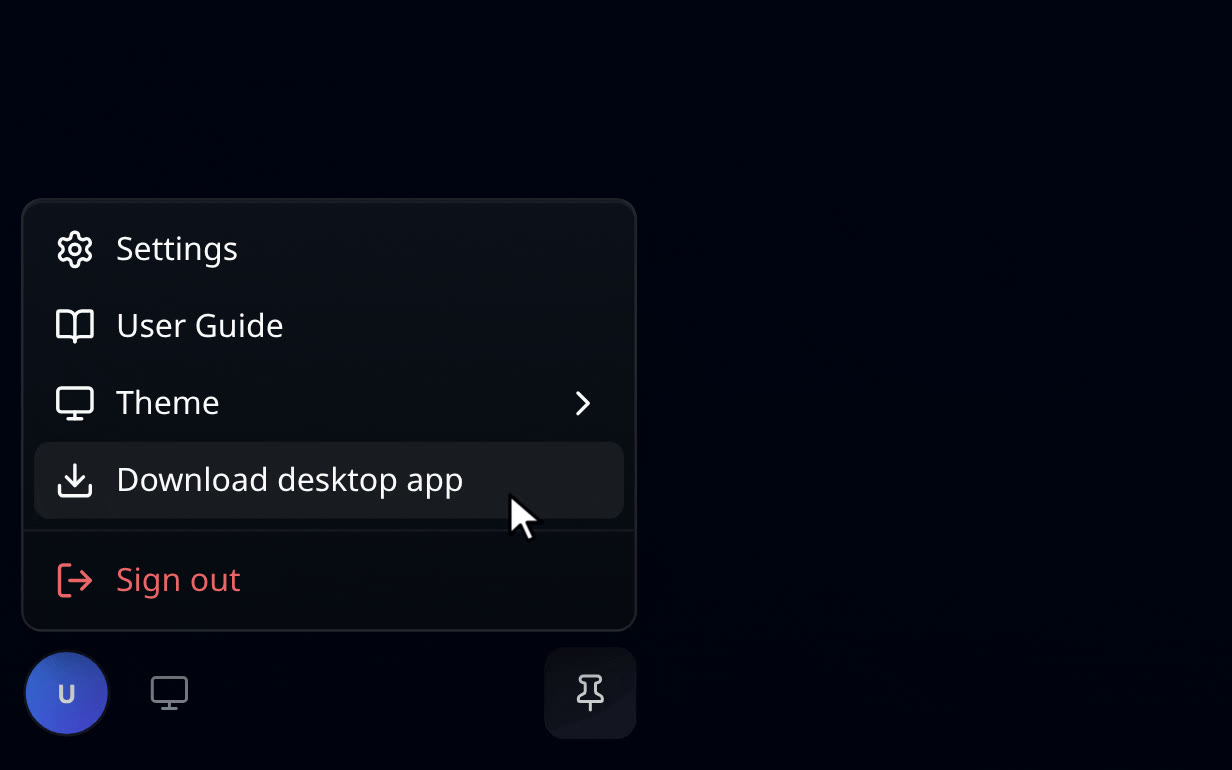
Windows and Mac
The menu item downloads the installer for your computer. It does not appear on phones, tablets or inside the desktop app.
Ask about the page you're viewing
Add the Justinian extension from the Chrome Web Store or Edge Add-ons, then click the Justinian icon in your toolbar. The side panel opens next to the page, and you can ask about anything on it, such as a summary of a rule or its deadlines, without copying any text. Select a passage, right-click and choose Ask Justinian to attach it to your next question.
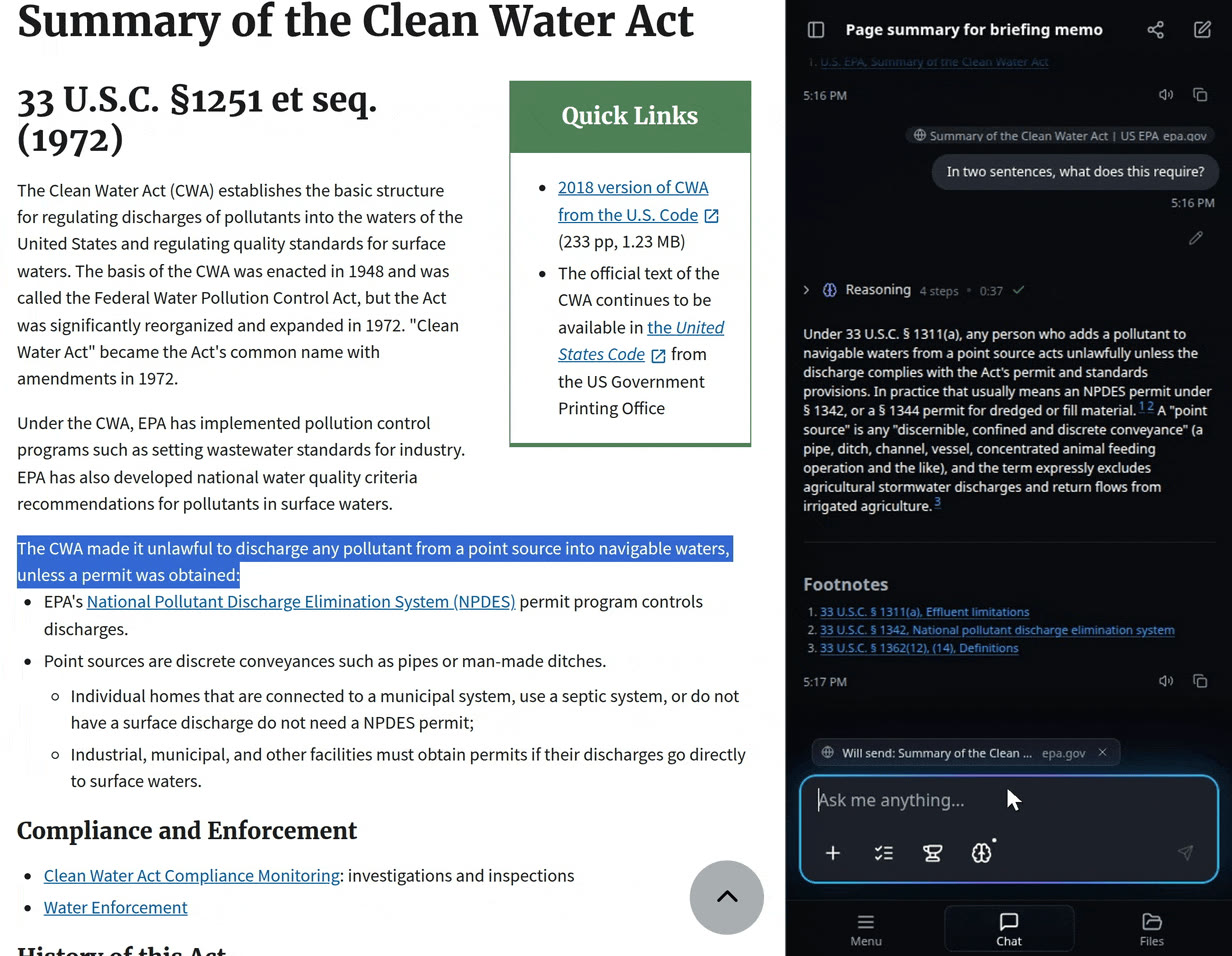
Each tab keeps its own chat
The panel shows which page it will send with your next message, and each browser tab keeps its own conversation.
Have Justinian work in the page
Justinian can search, click and fill in fields on a page in your own signed-in browser. It asks you before steps that matter, and it does not enter passwords, make purchases or submit filings.
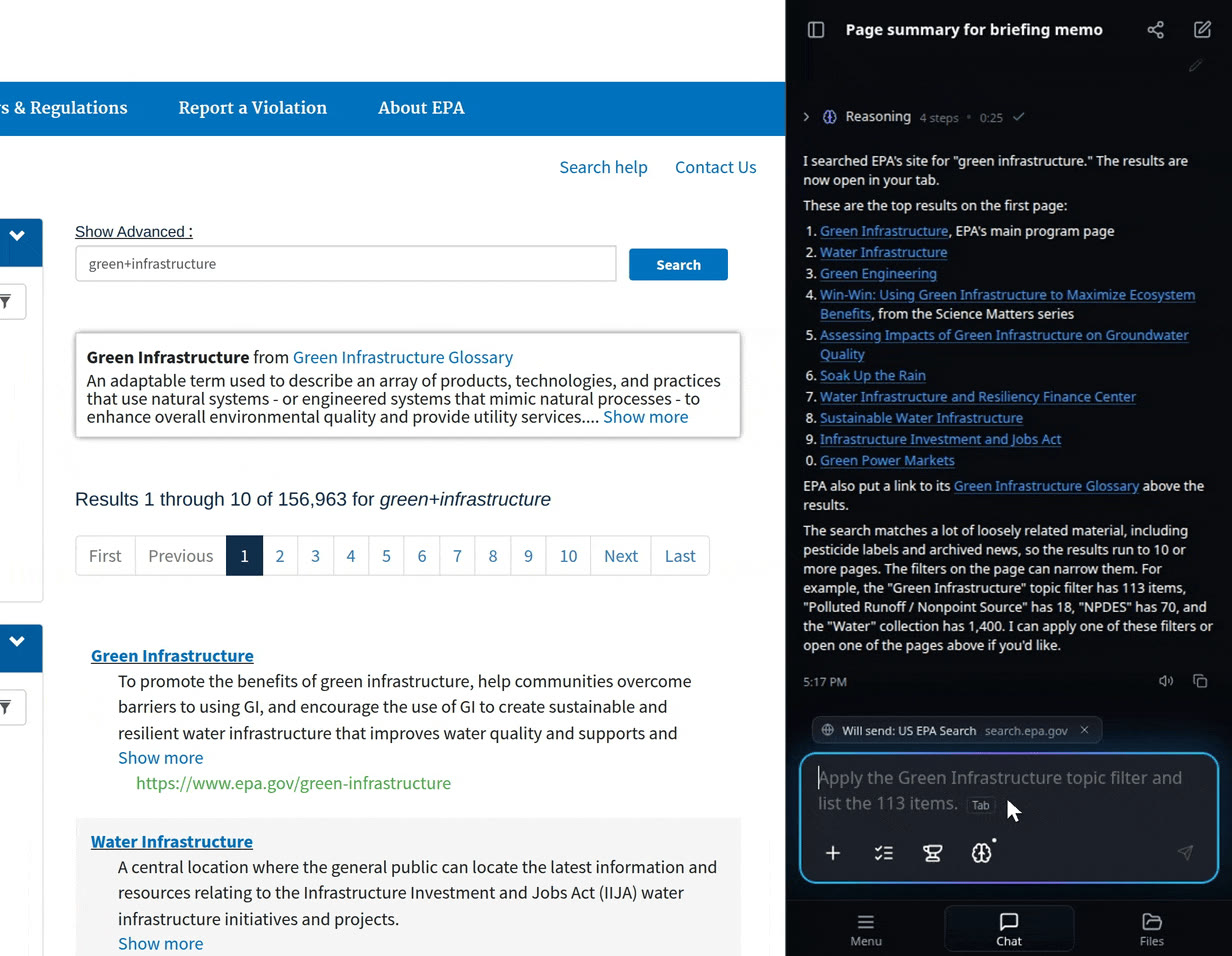
Your organization's settings apply
Administrators can turn the extension off for a group, make it read-only or limit the sites it can use.
Ready to explore?
I am available now in Justinian 3.2.0. Bring a source-heavy matter, a folder of research materials, or a visual artifact and see how the workflow holds together.