

What Justinian can reach
Every source it needs. Nothing it does not.
Scroll to see what Justinian can reach, and where that reach ends.
Vulcan Office
One workspace.
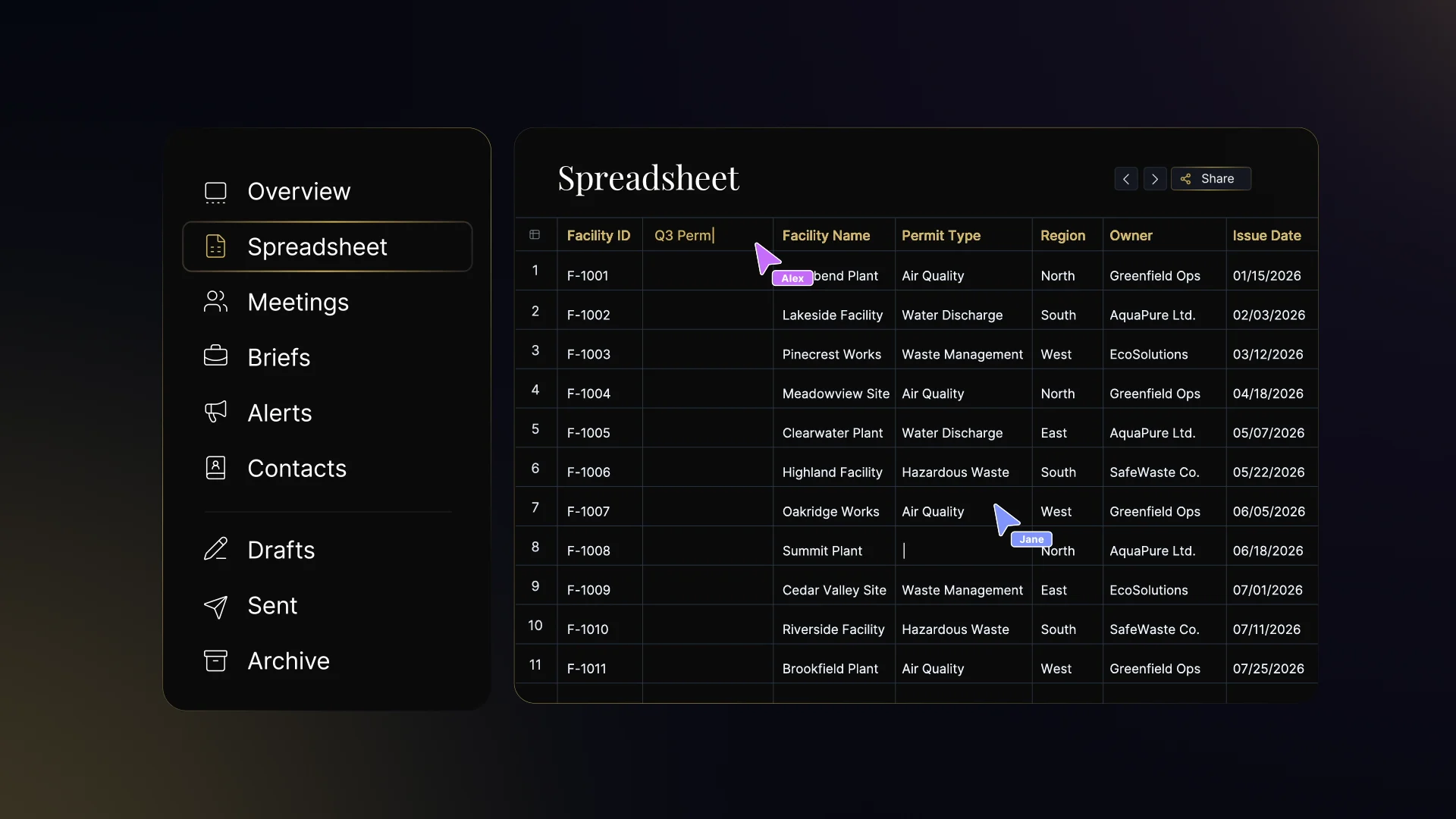
Use the latest permit data to update the brief and deck. Work across spreadsheets, documents, and presentations with Justinian.
The spreadsheet
Work through facility records and permit status.
The presentation
Turn the findings into a deck.
The brief
Bring the same work into a document.
Security
Federal-grade security.
FedRAMP Ready and listed on the FedRAMP Marketplace. Justinian runs in AWS GovCloud (US), with scoped access and a full audit trail.

FedRAMP Ready
Listed on the FedRAMP Marketplace.
AWS GovCloud (US)
Agency data stays inside the GovCloud boundary.
Scoped access
Identity, permissions, and an audit trail for your team’s work.
50-state research
1 agent becomes 50.
A dedicated copy surveys every state. In parallel. Every statute cited to its source. Then it keeps watch.

Every state
Research across jurisdictions in parallel.
Cited to source
Follow the answer back to statutes and administrative materials.
Then it keeps watch
Track changes across the jurisdictions that matter to your work.
Permitting
From application to issued permit.
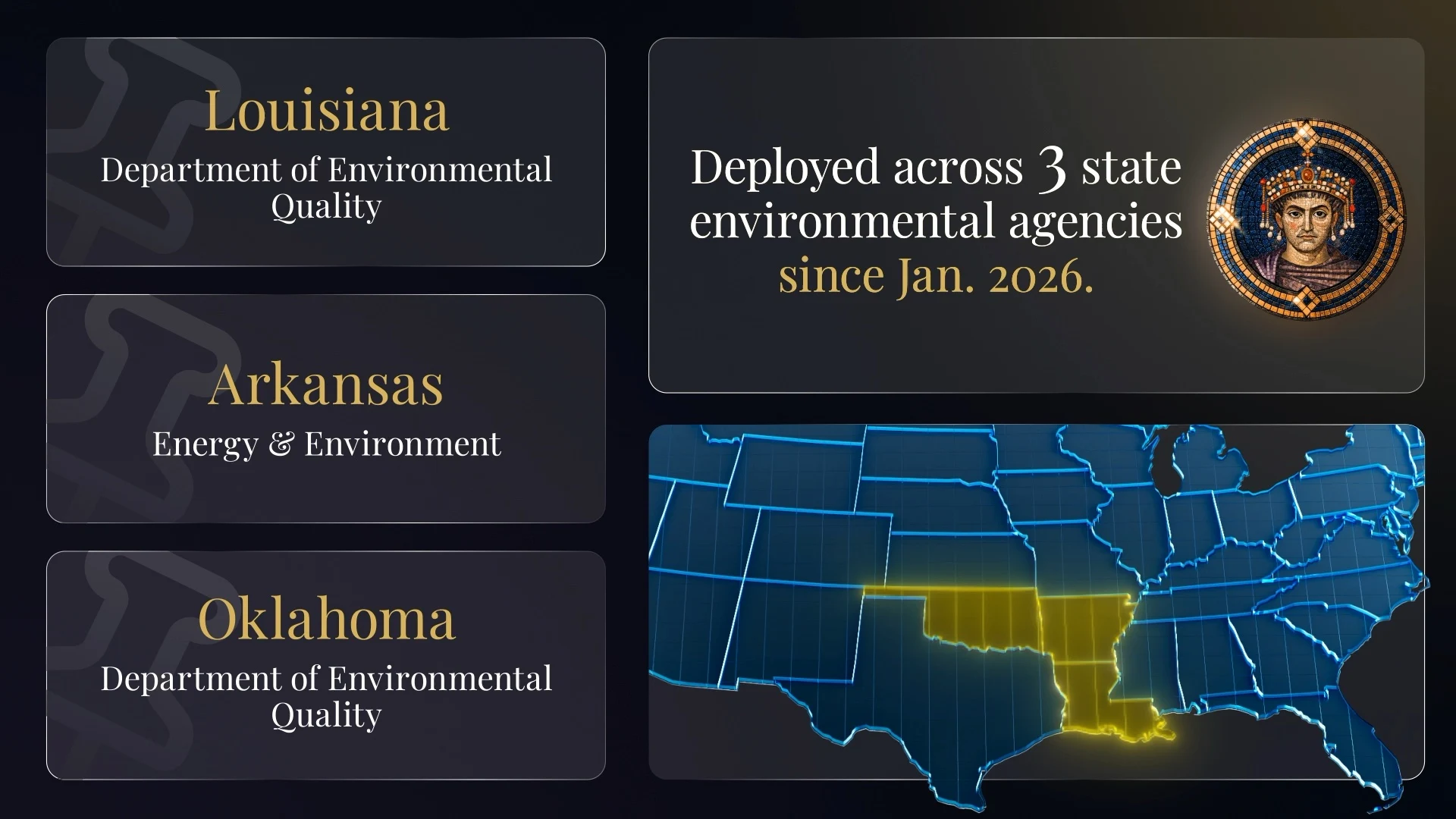
Review status. Check completeness. Cite the exact rule. Draft comment responses. Grounded in the actual code.
Review the application
Check administrative and technical completeness.
Ground the decision
Review the applicable code and required calculations.
Move the permit forward
Prepare comment responses, staff memos, and milestone tracking.
The agent
One agent for all knowledge work.
JUSTINIAN is an AI agent for government knowledge workers. To power JUSTINIAN, we built the world’s largest database and knowledge graph of American laws, regulations, court cases, fiscal line items, enforcement records, health data, and other nonpublic data ingested on behalf of our customers. This data is made accessible to JUSTINIAN and interfaced with by customers via JUSTINIAN's platform, email account, Slack profile, and Teams account.
Secure app building
Builds and deploys real software.
Justinian securely builds and deploys applications, dashboards, and internal tools inside the agency boundary. Ask for the tool your team needs, and it ships where your team already works: our platform, email, and Slack.
- Applications, dashboards, and internal tools.
- Built and deployed inside the agency boundary.
- Behind your SSO, on your identity and roles.
- Runs recurring briefings and trackers on the data you watch.
Legal research
Every answer cited to the source it read.
Justinian answers legal, policy, and regulatory questions with citations back to the primary sources it read, and drafts the memos, rules, comment responses, redlines, and reports your team can verify line by line.
- Records of American law and policy
- 157 billion
- Jurisdictions
- 51
- Court records
- 13.125 billion
Security
FedRAMP Ready. GovCloud deployed.
Justinian runs entirely in AWS GovCloud (US), architected to the FedRAMP Rev. 5 baseline, so federal and state agencies can adopt it as government AI infrastructure.
- FedRAMP
- Designated FedRAMP Ready and listed on the FedRAMP Marketplace, architected to the Rev. 5 baseline and independently assessed by a 3PAO.
- AWS GovCloud (US)
- Agency data is stored and processed entirely inside the GovCloud boundary, in us-gov-east-1. Nothing leaves it.
- Identity
- Okta SAML SSO with MFA, role-based least privilege, and centralized identity across every account in the boundary.
- Accountability
- Humans approve sensitive actions, every step lands in an audit trail, and your data is never used to train AI models.
Latest release
Justinian, answered
What is Justinian?
JUSTINIAN is an AI agent for government knowledge workers. To power JUSTINIAN, we built the world’s largest database and knowledge graph of American laws, regulations, court cases, fiscal line items, enforcement records, health data, and other nonpublic data ingested on behalf of our customers. This data is made accessible to JUSTINIAN and interfaced with by customers via JUSTINIAN's platform, email account, Slack profile, and Teams account.
What data does Justinian AI run on?
Justinian runs on the largest legal and policy database in the world: 157 billion records spanning primary law, court records, every municipal code, public finance, health, environment, energy, labor, education, transportation, agriculture, disclosures, and state operational data. The full catalog is published on the coverage page.
Who uses Justinian?
Law firms, in-house legal departments, policy and compliance teams, and government agencies use Justinian for research, drafting, citation checks, and regulatory analysis.
Is Justinian available to government agencies?
Yes. Vulcan is FedRAMP Ready and listed on the FedRAMP Marketplace. Justinian runs entirely in AWS GovCloud (US), architected to the FedRAMP Rev. 5 baseline and independently assessed by a 3PAO, so federal and state agencies can adopt it as government AI infrastructure.
How is Justinian different from general-purpose AI chatbots?
Justinian is a legal AI agent, not a chatbot. It plans the research path before drafting, follows the citation graph across statutes, regulations, and precedent, and attaches the source trail to every claim so reviewers can verify the work instead of trusting a black-box summary.
Where can I use Justinian?
Justinian is available on the web, as macOS and Windows desktop apps, inside Slack and Microsoft Teams, and by email at justinian@vulcan.app for account holders.
Demo request
Bring a real matter: a rule in flight, a statute your counsel is wrestling with, a docket you have to track.